Tweeter button
Facebook button
search
top

Printing

Pronto Print can print just about anything you need!

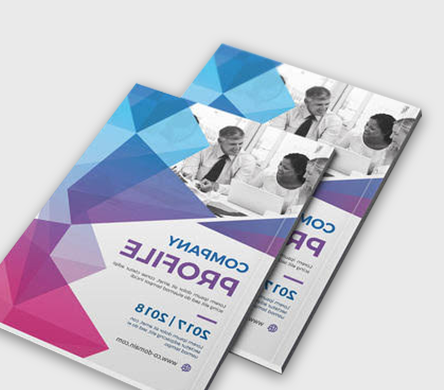
No matter what type of printing project you have in mind, we will provide a solution for you. From simple needs such as business cards to complicated bound documents, we can satisfy your expectations.

Here is a basic list of the items that we can produce for you here at Pronto Print. Please click on the linked items to get more details and ideas:

Banners, black print or single color copies, full color copies, brochures, bumper stickers, business cards, buttons, calendars, carbonless forms, comb and coil bound books, custom Post-It sticky notes, envelopes, flyers, greeting cards, invitations, labels, laser checks, lamination, letterheads, menus, newsletters, notepads, pocket folders, posters, presentation handouts, press kits, resumés, rubber and self-inking stamps, stapled booklets, stickers… basically anything you need!

And now, you can estimate a variety of oversize products such as banners, vehicle graphics, fine art prints, trade show booth materials, political yard signs, and more online, 24 hours a day! Find out exactly how much your upcoming project will run, as well as details on the materials used and a few good ideas with our new Pronto Print – Printer’s Handbook! Click the image below to estimate your next oversize project.

Pronto Print - Printer's Handbook Online Estimates and Quotes

Feel free to call us for a quote today, or just to gather details about how we can help you achieve your idea – 785.201.7931.

The Case Against Digital and Online Backups

Old media... come and gone... what's next?

Sure, media backup has come a long, long way. A lot of us used to store our favorite songs on cassette tapes before mp3 players, and we recorded tv shows on our vcrs long before Tivo.

It’s easy to get settled into the present. Do you have a ton of family photos or important documents? Well, it’s as easy as burning them onto a cd or dvd and keeping in a safe place forever, right? Why risk the space and time it takes to store the physical copies? Well… the answer is simple – There’s nothing more risky that archiving your keepsakes to digital media.

First of all, we’ve had our past media. Even the now ancient 5.25″ floppy disk shown above was the pinnacle of mobile storage back when it first hit the market in 1976. It could store an entire 110kb! That’s about a tenth of a meg worth of storage. 11 years later, you had 3.5″ disks that could store a then astounding 1.44 megs. Just a few years after that, we had compact discs – with the ability to hold 730 megs! Flash forward to today, where we are carrying thumb drives that easily store 16gigs of files – that’s 16,000 megs. It’s an amazing change in media devices within just two decades… With as fast as technology moves in today’s age, you can expect a change every few years at this point.

What does that mean? Before too long, cds and dvds will be a thing of the past. Computers will be improved at such a speed that it will seem almost necessary to get a new one every couple years. Between all these changes in hardware and the way we communicate, your precious files, text, and photos will have to transfer again and again and again.

Each time you transfer something, there’s a chance the data will become corrupt. The longer files exist against new developments in how technology reads files, there’s even more chance of corruption. Some types of media that used to be top-of-the-line hardly work at all anymore (when was the last time you tried to access an Iomega Zip Disk? The results aren’t pretty). Also, with magnetic media devices such as 3.5″ disks and portable hard drives in danger of becoming demagnetized by machines over time, there’s always a chance of finding out one day that you can’t open them anymore. And don’t even get me started on how easy it is to lose a thumb drive or rattle a hard drive by accident!

But there’s one more thing… the most terrible outcome of all. If something were to happen (whether it be by strange weather phenomenon or by warfare), electromagnetic pulses could wipe out giant chunks of our electronics. If we trust our most prized memories and information to electronic devices without physical backups and an event like this occurs, entire lines of our personal history will be destroyed forever with no hope of reclaiming them. It’s a pretty dismal idea, but it’s not far-fetched, either.

What can we do to preserve our photos and documents forever? Sure, you can go ahead and keep digital backups of everything, and that’s fine. But never get rid of your original physical copies. Keep your photos safe in storage, even make a few copies and disperse them to the fest of your family. Make heirloom books that tell your whole story and share them with relatives and friends. Keep important documents in fire-proof safes, and keep an extra copy. By saving these keepsakes in a few different formats both physical AND digital, you can be rest assured you’re making them as secure as possible.

Do you have a printed item that’s priceless? Maybe a folder full of photos on the computer that you want to keep forever without risk of file corruption? Bring in those objects today and let Pronto Print help you keep a hold of them forever.

General Artwork Guidelines

SOFTWARE PLATFORMS WE ACCEPT
Adobe Acrobat, Illustrator, InDesign, Pagemaker, and Photoshop.
Microsoft Access, Excel, Powerpoint, Publisher, and Word.
We also take files made in Quark XPress.

STRIVE FOR HIGH QUALITY
The higher quality your file is, the higher quality your print will be! In programs such as Microsoft Word and Microsoft Publisher, import only the largest, best quality images. Small pictures and logos saved from websites just won’t do – they are usually at 72 dpi (dots per inch). This may look fine on your monitor, but the print will be pixilated as it was compressed for speed on the internet. If you MUST use a picture you got online, make sure to use the largest, crispest, clearest version you can find. In programs such as Photoshop or InDesign, start your project with the minimum of 300 dpi and at the actual finished size your document or item will be. This will ensure clarity in the final project. 600 dpi is fine, and will produce the very best results in most cases, but going over 600 is never necessary.

FULL BLEED AND MARGINS
If your document is full bleed, that means that the images or background of your project run off the side of the page, and there is no white border around it. If you do desire to make your project full bleed, then your document’s image must stretch past the page by at least .125″ so that we can trim it down to your final size. However, .25″ is preferred and will be easier for us to work with. Keep in mind that you will need to watch where you place important text and pictures so that we don’t cut them off when we trim. If you would rather not deal with this hassle, please keep all of your images and text within .25″ from the edge of your document.

PHOTOSHOP DOCUMENTS
Never save over your Photoshop document after you have flattened the image. If you do so, it will prevent you or us from making changes if there are issues with your layout, color, or quality. When sending us Photoshop files, please send them unflattened and include all of the fonts you used in your project. Make sure to follow the high quality guidelines above – it is very important to start out at the finished size you want, and at least 300dpi.

PDF FILES
Please make sure and check every option while making your PDF that will give you the highest quality settings. Default PDF settings usually bring down print quality. Many programs offer to let you save or print your document to a PDF file. If you do not have that option, feel free to click here for a free PDF maker.


Click here to upload your files to print!

Open Mon-Fri 8am-5pm – 627 E. Crawford – Salina, KS 67401 – Phone: 785.823.2285 - Fax: 785.823.1105

top